

Earlier in the week, I shared the sad tale of the demise of my beloved Kindle Oasis. After almost eight years of happy reading, during which I took excellent care of it, one little slip resulted in it cracking on my kitchen floor. Oh, the horror!
After a suitable period of mourning (roughly, two hours), I went ahead and ordered a replacement. Amazon no longer sells the Oasis, so after reading a bunch of reviews, I decided to go with the Kindle Paperwhite Signature Edition.
My new Kindle arrived this week — let’s take a look!

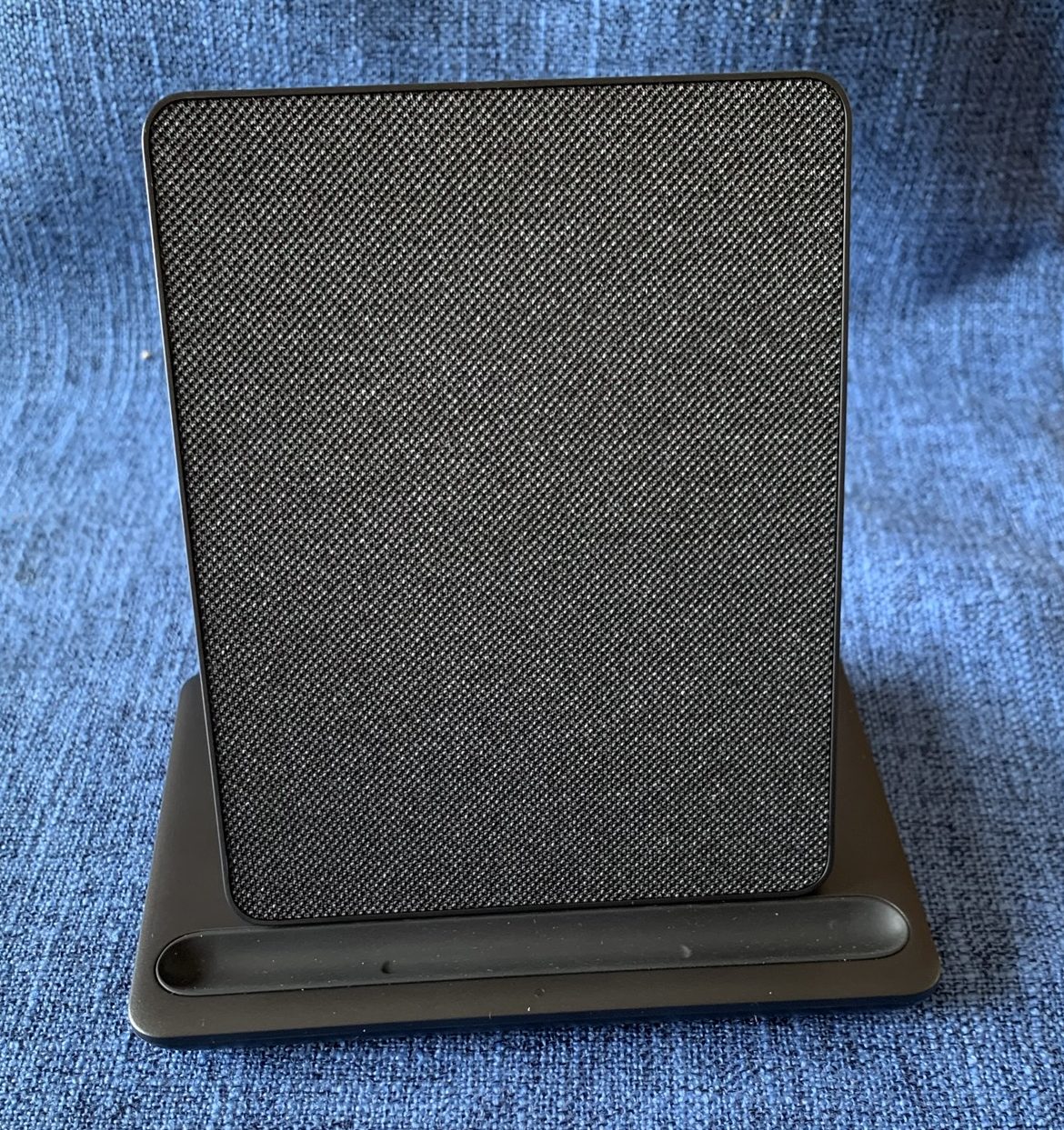
I went with a bundle option (more on purchase options later), and the various pieces arrived separately. Shown above — the box with the Kindle itself (left), plus the docking station (top right) and cover (bottom right).
You may be asking, why does a Kindle need such a big box?

Great question! It doesn’t. What a weird packing choice — it was just a mostly-empty box with the little Kindle box in it, no packing materials or anything else. Moving on…

I was happy to open up my boxes and start looking at the new Kindle! It’s very easy to get started — the new device was already registered to my account, so getting started consisted mainly of pressing the power button.

Once I turned it on, it just took a minute to sync with my wifi and load all my existing Kindle content.

The other items in my bundle are the cover, which is pretty much just what I expected, and the the wireless charging dock, something not available with the Oasis. I think I’m going to like it!
My first step, after opening the box and turning on the new Kindle, was comparing the Paperwhite to the Oasis.

The Oasis (right) is square. There’s something about its sorta-clunky shape that I actually loved! It felt good in my hands, substantial but not heavy. The new Paperwhite (left) has different dimensions, and may take me a minute to adjust to.

And yet… the actual screen size is exactly the same! So the reading experience should be just about identical, with the same amount of text per page, depending on the settings I select.
(The main feature that Oasis-lovers seem to complain about is the lack of physical page turn buttons on the the Paperwhite. I didn’t use mine all that often on the Oasis, so it doesn’t feel like a loss for me, but I get that it could be hard to give up if that’s what you’re used to.)
So… first impressions?
I noticed that even with the same brightness levels selected, the Paperwhite has a more muted tone than the Oasis. Perhaps that’s because it has warmth settings that the Oasis doesn’t have, giving the option for an amber-toned reading environment. I have warmth set at zero for now, but I’m still noticing a slightly different look from the Oasis.

It’s really not a big deal, though, and I think I’ll get used to it. Other than that, the Paperwhite is easy to use, has the same reading options and interfaces as the Oasis, and seems like a perfectly fine choice for my needs! I did notice certain features in the settings that the Oasis doesn’t have, such as Vocabulary Builder and others — not sure that I’ll use any of these, but we’ll see once I settle in a bit more.

Really, the only hiccups so far have to do with the cover. I ordered a black cover for my new Kindle, and didn’t consider the fact that my husband has the same cover on his! To avoid confusion, I’m going to send mine back and get a different color.

The other hiccup relates to missing a feature of my Oasis cover. I’ve loved having this “origami” style of cover for my old Kindle, which is incredibly useful for hands-free reading. Sadly, Amazon does not sell a standing/origami cover for my new model — and while I see a bunch of varieties sold by other manufacturers, reviews about quality and fit are mixed, at best. I’ll have to find another solution for propping up my Paperwhite!
Apart from the minor cover-related hiccups…
I’m happy with my new Kindle and its assorted accessories, and look forward to a long, happy reading life together!
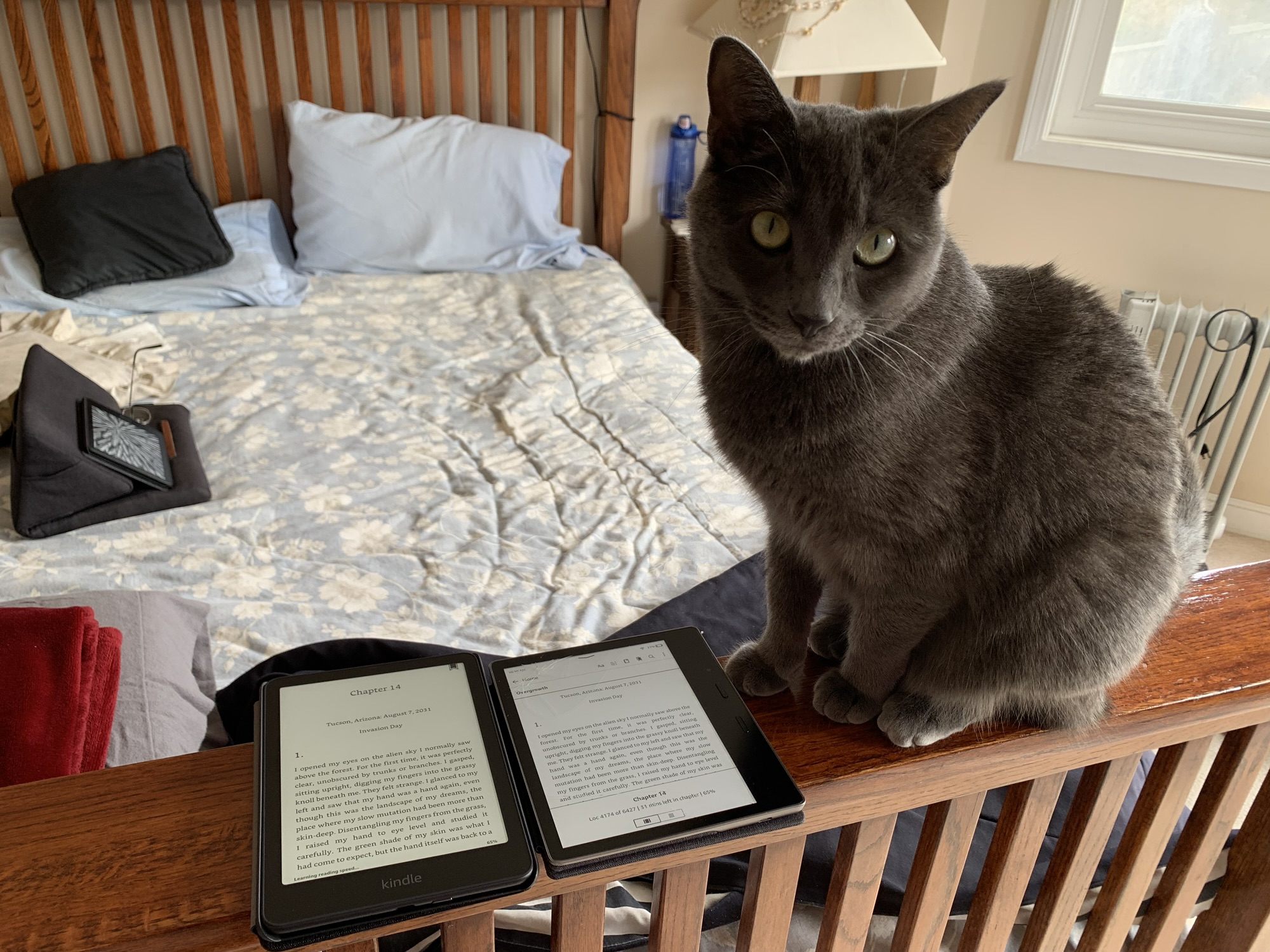
And the kitty approves! Or is indifferent… who knows?

Details: Here’s the run-down on what I bought:
First, it’s good to note that Amazon has a trade-in program for devices. Read about it here. By trading in a previous device, you get a gift card and a discount on your new device purchase. My trade-in gift card was a whopping $5, but the valuable piece is the discount: 20% off the new Kindle, which made the idea of replacing my poor damaged Oasis a lot easier to accept.
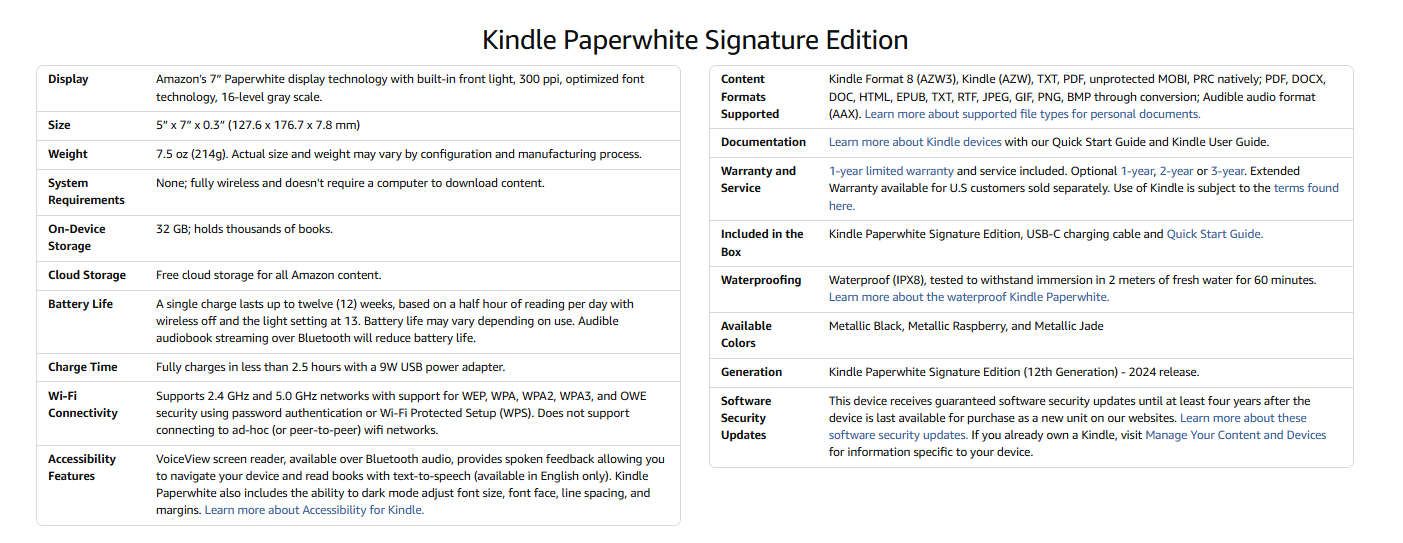
I purchased the Kindle Paperwhite Signature Edition in metallic black. This Kindle features auto-adjusting front lighting, 32 GB storage, USB-C charging, and is waterproof (although I wouldn’t want to put that to the test!).
Dimensions and specs (click images to enlarge):

Amazon offers bundled pricing, which saves a bit vs buying the accessories separately. I opted for the bundle which includes a fabric cover and the wireless docking station. Other bundles (at a higher price) include leather covers in a few color options, but I’m perfectly happy with fabric.
Available add-ons include screen protectors and a protection plan. I didn’t opt for either — but I’m considering the protection plan. There’s a 30-day window to add this. For $25, it provides two years of replacement coverage. That wouldn’t have helped me with my Oasis… but in case I get stupidly clumsy again with my new device, it might be nice to have.
 Bookshelf Fantasies
Ooo fancy, hope you love it! I always find that Amazon packs anything in a box 5 sizes too big!!!!
Thank you! Yes, some of their packaging choices are really… interesting. 🙂
Just a floral cover I bought off Amazon
🙌fabulous! Love it! 💖 I love my paperwite!
That’s great to hear! Do you have a case that you love?
Congrats on your new kindle. Have fun.
Thanks! I’m looking forward to getting used to it!
My husband bought me pretty much the same bundle for my birthday – the wireless charging dock is great, but the battery lasts such a long time (especially in comparison to my previous Kindle) that I’ve used it precisely three times since December! (And the first time was just to top up the charge when I first set it up!). I kind of feel bad about not using it enough… 😂
That’s great to know about the battery lasting so long! I’m still on the initial charge from setting it up, and I was curious about how long it would last. (My old Kindle was pretty good with battery life, but not as good as you’re describing!)
I miss the origami cover too. I used to love being able to prop my iPad mini up in the table and read over lunchtime
Exactly! It was perfect — I do like to read while I’m eating, and it made it so easy. (also great on airplanes!). I ended up ordering an off-brand cover to try that has a standing option — I’ll report back if it works!
I’m glad you’re excited for the new Paperwhite, hopefully it will be a good replacement. Love the detailed unboxing and info😁
Thanks! It was a fun post to put together. I’m liking the new Kindle so far, even though it was hard to say goodbye to the old one! The Paperwhite isn’t entirely new to me, since I bought one for my husband last year, but it may take me a bit to adjust to the slight changes from what I’d been used to.
I have received my Paperwhite Signature edition in Agave green as a present for Mother’s day. It came at the right time as my old Kindle was slowly dying after being used for many years. I love it so much and it is definitely better than my previous one. I hope you enjoy your new Kindle
Thank you! I’m so glad to hear that you love your Paperwhite! I’m excited to start using mine. 🙂